
How to See Spotify Wrapped: The Ultimate Guide to Your Year in Music
Every year, music lovers around the globe eagerly anticipate one major event. It isn’t a concert, a festival, or even an album release. It’s Spotify Wrapped. This annual interactive experience has become a cultural phenomenon, dominating social media feeds with colorful graphics, listening personalities, and the hard data of our musical obsessions.
If you are wondering, “how do i find my spotify wrapp?” or why everyone is posting their top songs while you can’t seem to locate yours, you have come to the right place. Whether you are a die-hard music fan or a casual listener, this guide will walk you through exactly how to access your Wrapped, how to view your stats year-round, and how to dig into the specific data of your top artists and songs.
What is Spotify Wrapped?
Before we dive into the steps, it is worth understanding what you are looking for. Spotify Wrapped is a marketing campaign by Spotify that allows users to view a compilation of data about their activity on the platform over the past year. It typically tracks your listening habits from January 1st to late October or early November.
The result is a personalized “story” format that shows you:
- Your Top Artists: The musicians you couldn’t stop listening to.
- Your Top Songs: The tracks you played on repeat.
- Minutes Listened: The total time you spent streaming music and podcasts.
- Your Listening Personality: A fun, Myers-Briggs-style categorization of how you consume music.
Now, let’s get into the “how-to.”
How Can I See My Spotify Wrap?
The release of Spotify Wrapped usually happens in late November or early December. When it drops, Spotify makes it very difficult to miss. However, the interface changes slightly every year, and sometimes notifications get swiped away.
Method 1: The Mobile App (iOS and Android)
Spotify Wrapped is primarily designed for the mobile experience. To get the full, interactive slideshow with music and animations, you should use your smartphone.
- Update Your App: Before you do anything, ensure you have the latest version of the Spotify app installed. Go to the App Store (iOS) or Google Play Store (Android) and tap “Update” if available. Old versions of the app may not support the new Wrapped features.
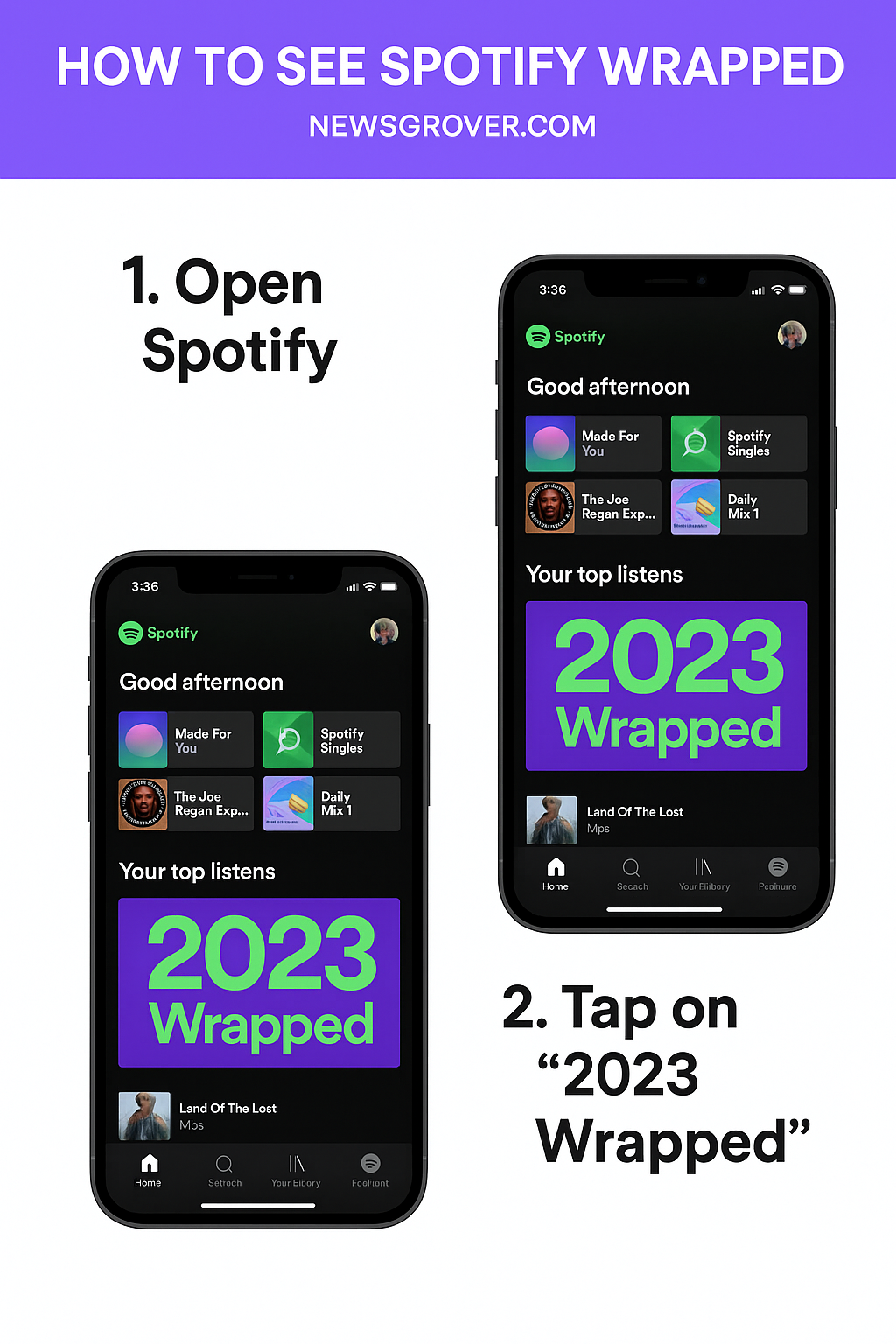
- Open Spotify: Launch the app. During the launch week, you will likely see a massive banner on the “Home” screen that says “Your 2025 Wrapped is here” (or the relevant year).
- Check the Feed: If you don’t see the banner, look at the top of your Home screen. You might see a colorful pill-shaped button labeled “Wrapped.”
- Use the Search Bar: If you still can’t find it, tap the Search icon at the bottom of the screen. Type “Wrapped” into the search bar. You should see a genre hub called “Wrapped” or a result that says “Your Wrapped.”
- Watch the Story: Tap the banner or search result to launch the story. It will play like an Instagram or Snapchat story. You can tap on the right side of the screen to skip ahead or the left side to go back.
Method 2: On Desktop (PC and Mac)
For a long time, Wrapped was exclusive to mobile. However, in recent years, Spotify has made a version available for desktop users, though it is often less interactive than the mobile version.
- Open your browser and go to spotify.com/wrapped.
- Log in to your account.
- You will typically be able to see a web-based version of your stats or be directed to open the desktop app to view the playlist of your top songs.
How Do I See My Top Artist on Spotify?
One of the most burning questions users have is: how do i see my top artist on spotify?
During the Wrapped campaign, this is easy. One of the slides in your Wrapped story is dedicated entirely to your “Top 5 Artists.” It will count down from number five to your number one most-listened-to artist of the year.
But what if it’s March or July, and you want to know who you are listening to the most right now? You don’t have to wait for December.
Viewing Top Artists on Desktop (Year-Round)
If you are on a computer, you can check your current favorites easily.
- Open the Spotify desktop app or the web player.
- Click on your Profile Name in the top-right corner.
- Select Profile from the dropdown menu.
- Scroll down, and you will see a section labeled “Top Artists this month.”
- This section shows who you have been jamming to recently. It is a great way to answer the question, “how can i see my top artist on spotify?” without waiting for the end-of-year wrap-up.
Viewing Top Artists on Mobile (Year-Round)
On the mobile app, seeing your stats outside of Wrapped season is a bit trickier, as the “Profile” section doesn’t always display the same detailed stats as the desktop version.
To get around this, many users turn to third-party tools (more on that below) or look at the “On Repeat” playlist in the “Made For You” section of their library, which is a good indicator of your current top preferences.
How Do You See Your Top Song on Spotify?
Finding your top song is similar to finding your top artist. In your annual Wrapped, the final slide usually generates a summary card that lists your #1 Song clearly at the top, often accompanied by how many times you streamed it and the date you first listened to it.
If you want to know how do you see your top song on spotify throughout the year:
- “On Repeat” Playlist: Go to the Search tab and look for the “Made For You” hub. Here, you will find a playlist called “On Repeat.” This playlist updates automatically to show the songs you have been playing the most over the last 30 days. It is essentially a real-time mini-Wrapped.
- “Your Top Songs [Year]” Playlist: Even after the Wrapped season ends, Spotify keeps a playlist of your top 100 songs from that year in your library. If you saved it, you can find it in “Your Library” under “Playlists.” If you didn’t save it, search “Your Top Songs [Year]” to find it again.
Beyond Wrapped: Using Third-Party Apps
Since Spotify’s native app doesn’t always give you a clear “Top 10” list year-round, many developers have created safe, third-party websites that connect to your account to show you this data.
If you are asking, “how to see my top artists on Spotify right now?”:
- Stats for Spotify: This is one of the most popular tools. You simply log in with your Spotify credentials, and it shows you your Top Tracks and Top Artists for the last 4 weeks, 6 months, and all time.
- Receiptify: This fun tool turns your top tracks into a digital “receipt” that looks like something you’d get from a grocery store. It’s perfect for sharing on social media.
- Obscurify: If you want to know how hipster your taste is, Obscurify compares your listening history to the average user to tell you how obscure your music taste is.
Note: Always be cautious when logging into third-party apps. Ensure they are reputable and remember you can remove their access to your account at any time via Spotify’s application settings on their website.
Troubleshooting: Why Can’t I Find My Wrapped?
Sometimes, you might follow all the steps and still ask, “how can i see my spotify wrap if it’s not showing up?” Here are a few common reasons:
- Not Enough Data: To generate a Wrapped, you need to have listened to a minimum amount of music. Usually, this is at least 30 seconds of at least 30 different tracks from 5 different artists. If you created your account in November, you might not get one this year.
- Outdated App: As mentioned, an old app version is the most common culprit. Update it immediately.
- Regional Restrictions: Occasionally, specific features are rolled out to different countries at different times.
- “Private Session” Listening: If you spent your whole year listening in “Private Session” mode, those streams are not tracked for your recommendations or your Wrapped.
Accessing Old Wrapped Playlists
Did you know you can still listen to your top songs from 2018 or 2021? While you cannot replay the “story” visual animation from previous years, the playlists still exist.
To find them, simply search specifically for: “Your Top Songs 2022” (or whatever year you need). These playlists act as a musical time capsule, instantly transporting you back to the memories of that year.
Conclusion
Spotify Wrapped is more than just data; it is a celebration of the soundtrack of your life. Whether you are proud of your top artist being a niche indie band or slightly embarrassed that you listened to “Baby Shark” 500 times (we don’t judge!), knowing how to access this data enhances your streaming experience.
By using the tips above, you now know how to see spotify wrapped, how to check your stats year-round, and how to see my top artists on desktop and mobile. So, go ahead—open the app, find your musical personality, and share your results with the world!